Make AI story reels like mine. Same face every shot, no wasted credits.
The exact method behind my 415K-view reel. Claude connects to Higgsfield and does the generating for you: one character across every shot, and nothing gets animated until you approve a 1-credit frame. Start on free Claude. First reel in one evening.
CLAUDE +
HIGGSFIELD
Numbers from my own account @zeromrrclub (Instagram Insights, 21 November 2026). Your results will depend on your ideas and how often you post.
 👁 415K
 👁 227K
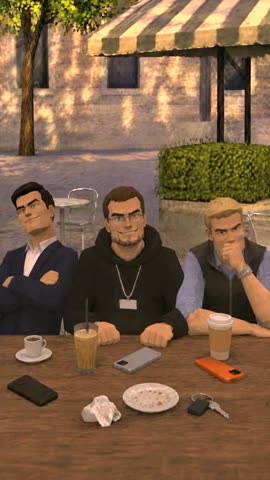 👁 139K
 👁 119K
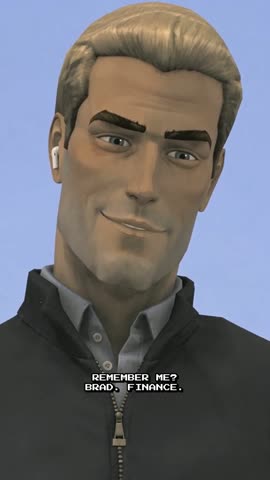 👁 65.6K
 👁 28.9K
 👁 21.3K
Every one of these was made with the method in the playbook.
The problemIt's not making AI video. It's paying for the mistakes.
Faces change every shot
Your character looks different in frame two. You regenerate. Then again.
Credits disappear on bad clips
You animate a frame that was wrong from the start, and only notice after paying for the video.
Hours in the web app
Copying prompts, downloading files, re-uploading references, one generation at a time.
No system, just luck
One reel works, the next one flops, and you don't know why.
The methodFrame first. Video only after you say yes.
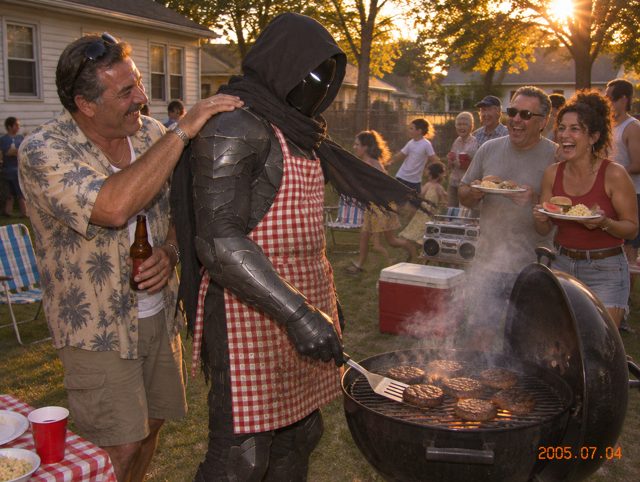
1. Claude makes the frame
Same character, same style, from your reference.
≈ 1 CREDIT2. You approve it
Wrong face or wrong vibe? Fix it here, for pennies.
SAVES THE EXPENSIVE PART3. Claude animates it
Only approved frames become video. Then Claude checks the clip.
≈ 12 CREDITS / 4 SWhat's inside15 pages, 8 parts, every prompt included
- Quick startyour first frame in 10 minutes
- What you'll make+ the 7 rules that save the most credits
- Stack and Claude setupconnect Higgsfield, set up the Project
- Style and charactersone face across every shot
- Master frame promptthe frame every reel starts from
- Video promptsdialogue clip + twist, without jumping characters
- QA: 12 failures and fixeswhat broke for me and the exact fix
- Copy-paste kitproject instructions, script, batch and edit prompts
You'll be able toWhat you get out of it
- Connect Higgsfield to Claude and let Claude run every generation for you
- Lock one character so it looks the same in every shot
- Approve cheap still frames first, then pay for video only on the ones you like
- Pick the right model and settings for frames and for video
- Have Claude check every clip before you spend on the next step
- Skip the 12 most expensive mistakes I already paid for
- Read your Instagram numbers: what to track, and what to change when a reel flops
PricingPick your version
Playbook
- The AI Reel Playbook (PDF)
- Model and settings for frames and video
- How to connect Higgsfield to Claude
- The 7 rules that save the most credits
- 12 paid-for failures with the fix for each
- 10 copy-paste prompts (.md)
Pro Kit
- Everything in Playbook
- Reel Producer plugin for Claude: 5 commands from script to finished reel
- See the credit cost of every shot before you generate it
- Automatic clip check: catches jumping characters before you pay for the next clip
- One config file → finished 1080×1920 reel with subtitles and music
- Style packs: PS2 game and 2005 home-video camcorder, both tested on my reels
- Reading your numbers: a one-page cheat sheet of the 5 Instagram metrics I track
- Use it for client work
Done with you
- Everything in Pro Kit
- A 45-minute call: we set up your workflow together
- I review your first reel and tell you what to fix
- Help picking your character and first series
| Playbook | Pro Kit | |
|---|---|---|
| The method, rules and every prompt | ✓ | ✓ |
| Credit cost of every shot, before you generate | — | ✓ |
| Automatic check for jumping characters | — | ✓ |
| Finished reel with subtitles and music, one command | — | ✓ |
| PS2 and camcorder style packs | — | ✓ |
| Instagram numbers cheat sheet | — | ✓ |
| Client work | — | ✓ |
Your first reel should take an evening: about 30 minutes to set up, then 1–2 hours per reel. If the method doesn't work for you, email me within 14 days of purchase, tell me what didn't work, and get a full refund.
Before you startYou'll need
- Claude. Start on the free plan to connect Higgsfield and make your first frames. For full reels (long sessions, auto-checks, the edit script) you'll want Pro
- A Higgsfield plan with credits. One 20-second reel costs me about $5–7 in credits
- No video editing skills. Claude does the heavy lifting.
FAQQuestions
How long does one reel take?
About 30 minutes to connect everything the first time. After that, a 20-second reel takes 1–2 hours from idea to finished video, most of it waiting for generations.
Is this only for the PS2 style?
No. PS2 is one style. The method (character lock, frames before video, Claude checking each step) works for any look. The Pro Kit includes prompt sets for several styles and adds a new one every month.
How much does one reel cost?
About $5–7 in Higgsfield credits for a 20-second reel, depending on how many clips it needs. Claude: free to start, Pro for full reels. Most of the savings come from approving 1-credit frames before you pay for video.
I've never used Claude with Higgsfield. Is that a problem?
No. The setup is step by step, and the first chapter gets you from zero to your first generated frame.
Do I need to show my face?
No. All my reels use AI characters.
How do I get the files?
Right after payment you get a link to your personal access page by email. Your files are there, and every update and new style lands there too, so it never goes out of date.